

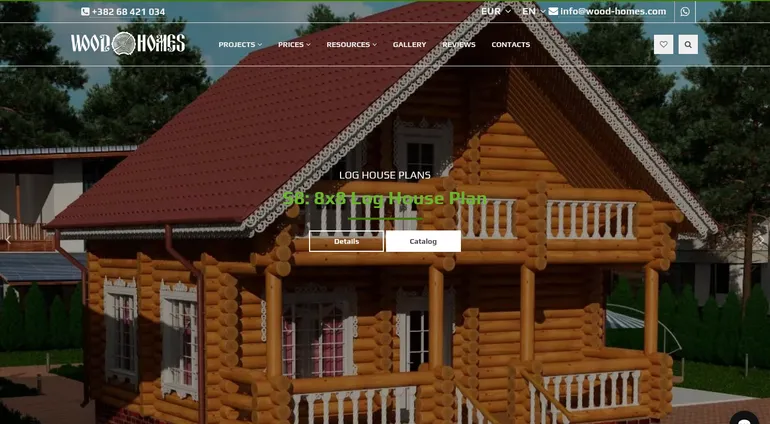
A storefront and back office for a timber house builder that sells log houses and saunas from 217 ready-made projects in three languages and three currencies. The brief was one system for everything a sales manager touches: the catalog, prices and discounts, enquiries, mail, visitor statistics and later an AI assistant, without a developer in the loop for day-to-day work. The system runs on AX-BOX Platform, our own platform written in Go, as a product catalog with leads, mail and AI: the catalog mode of AX-BOX Commerce, the edition of AX-BOX CMS with a catalog and a store.
- Industry: construction. Log, lafet and timber houses, log saunas, foundations and finishing.
- Client: a construction company building log houses and saunas.
- Live site: wood-homes.com
- Timeline: first release in 2020; in 2025 we came back to the project and added language models to the site and the admin panel.
- Stack: AX-BOX Platform (Go), catalog mode of AX-BOX Commerce, PostgreSQL, Redis, server-side HTML templates, Docker, Traefik, libvips.
Results at a Glance
- Lighthouse 100 / 100 / 100 / 100 on desktop for the home page, the catalog and a project page, measured on a production-like copy. On mobile emulation Performance is 96-98, the other three scores are 100.
- 3,100 requests per second on a project page at 50 concurrent requests, p99 30 ms on our load-test bench (conditions below).
- 1,092 indexable pages in three languages with hreflang, canonical URLs and product structured data.
- Prices in EUR, USD and RUB from one base price, with exchange rates updated once a day without anyone touching them.
- Enquiries, company mailboxes, analytics and the chat live in one admin panel with roles for the owner, administrators and sales managers.
- An AI assistant on the site answers from the site's own content: 365 pages split into 1,153 indexed fragments.
The Brief: Everything a Manager Needs, Without a Developer
There were two requirements. A site that opens fast and ranks well in Google in every language it is published in. And a back office the sales team could run on their own: change a price, start a discount, answer a letter from the company mailbox, take an enquiry into work, see where visitors come from.
Selling in three currencies and three languages made the second part harder than it sounds. A price written into page text in one currency goes stale with every exchange-rate move, and a seasonal promotion turns into editing every project page by hand. So prices, discounts and translations had to be data the system works with, not text someone retypes.
Catalog, Prices and Currencies
Each project has one base price in US dollars. Visitors pick EUR, USD or RUB in the header, and the storefront converts the price with the current rate and rounds it to the currency's smallest unit. Rates are pulled once a day by a background job. Which currencies appear on the site is a switch in the admin panel, not a setting in the code.
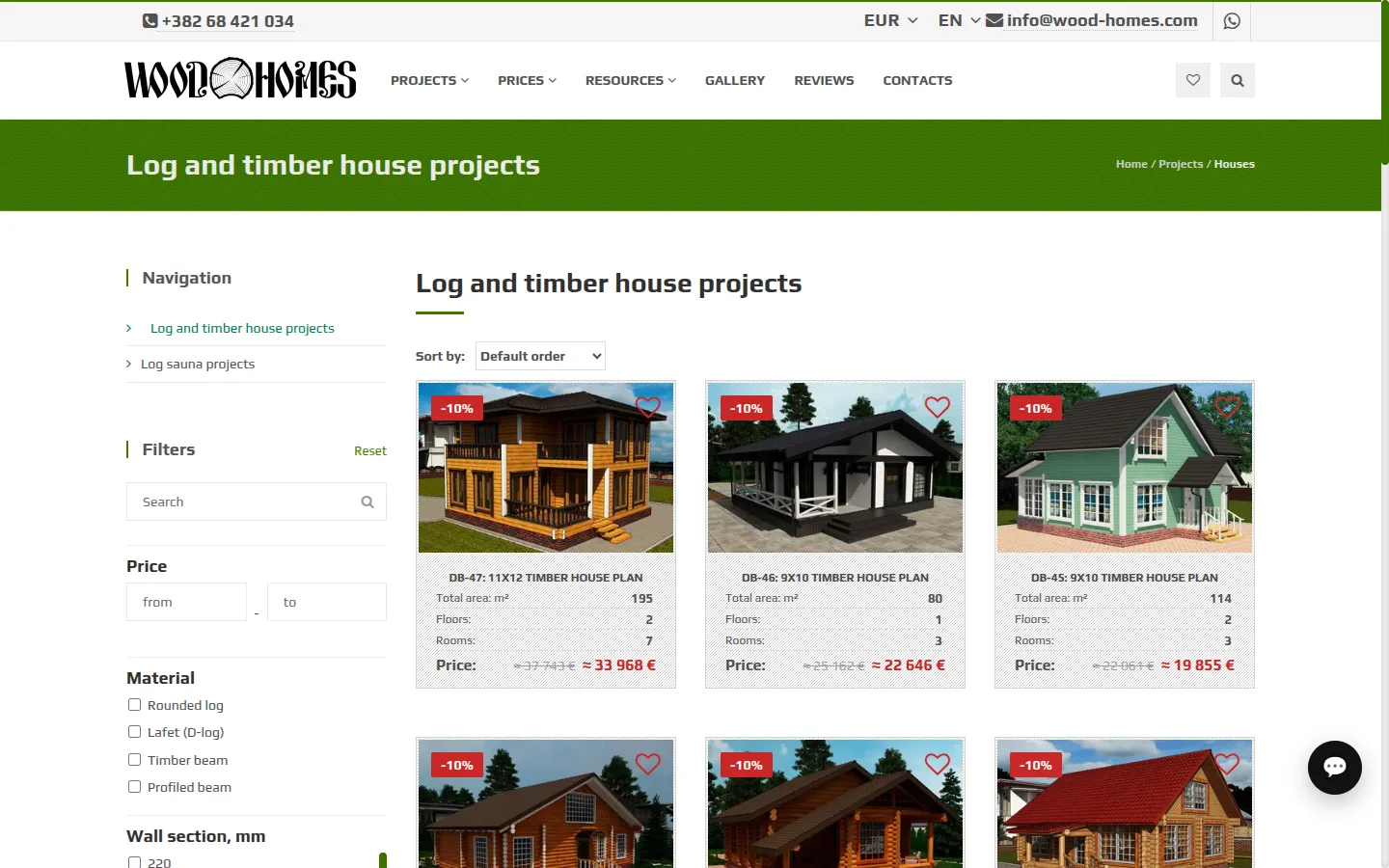
Material, wall section, floor area, number of floors and rooms are attributes, so the catalog filters on them and the same values feed the comparison table on each project page. The catalog page does not get slower as the number of projects grows: membership in catalog sections is precomputed, and a page reads a ready list instead of walking the section tree on every request.
A Discount Engine the Manager Runs
A discount is a percentage or a fixed amount with a start date and an optional end date. It applies either to individual projects or to whole catalog sections. When several discounts cover the same project, a discount on the project itself beats a section discount, a nearer section beats a farther one, and on the same level the larger discount wins. The storefront shows the badge and the struck-through old price on its own; the manager does not edit project pages.
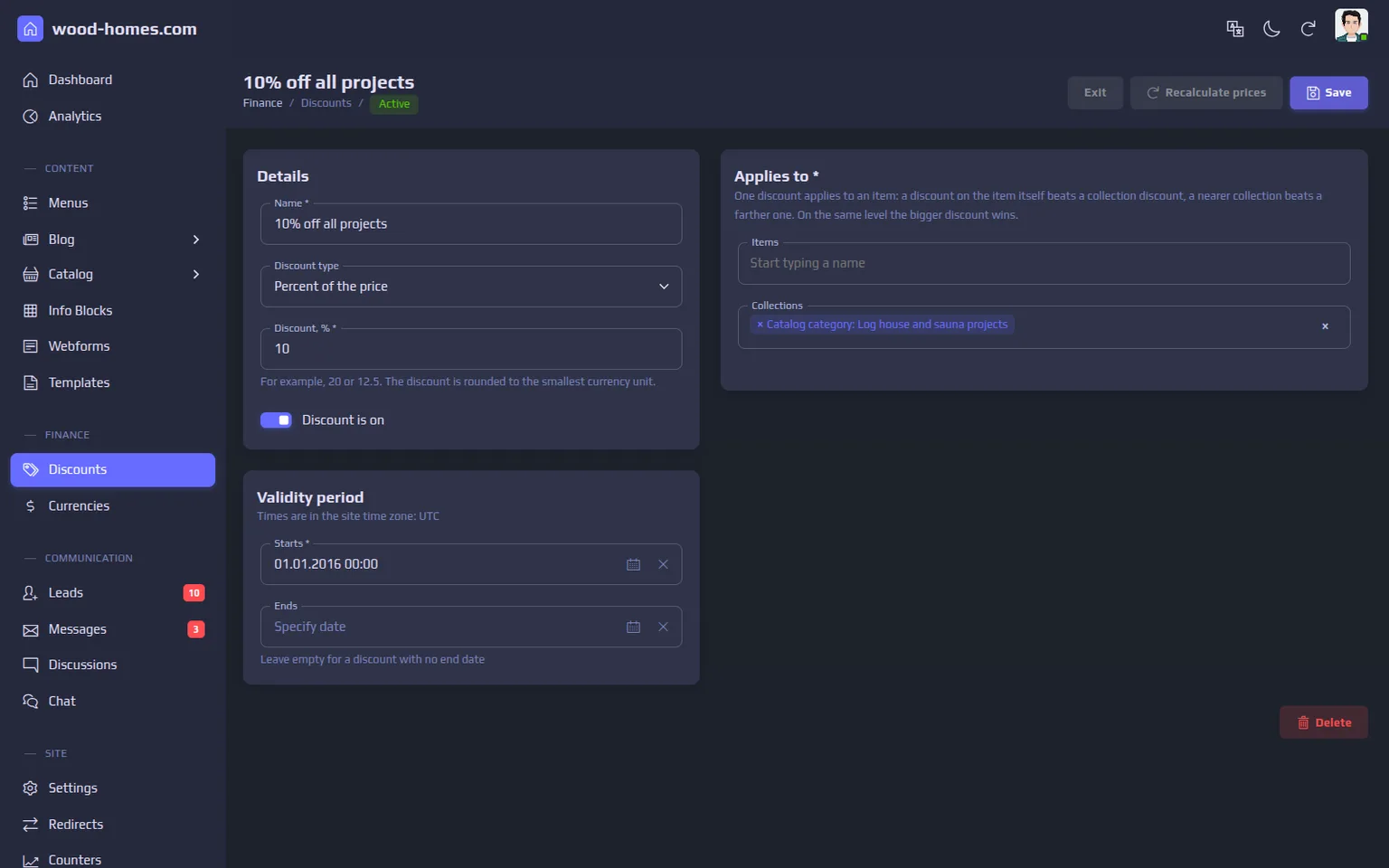
Discounted prices are written into the catalog in the background when a discount is saved, starts or ends, so the catalog query stays a plain read. The cost of that choice: a new price appears after the background step finishes, not at the instant of saving.
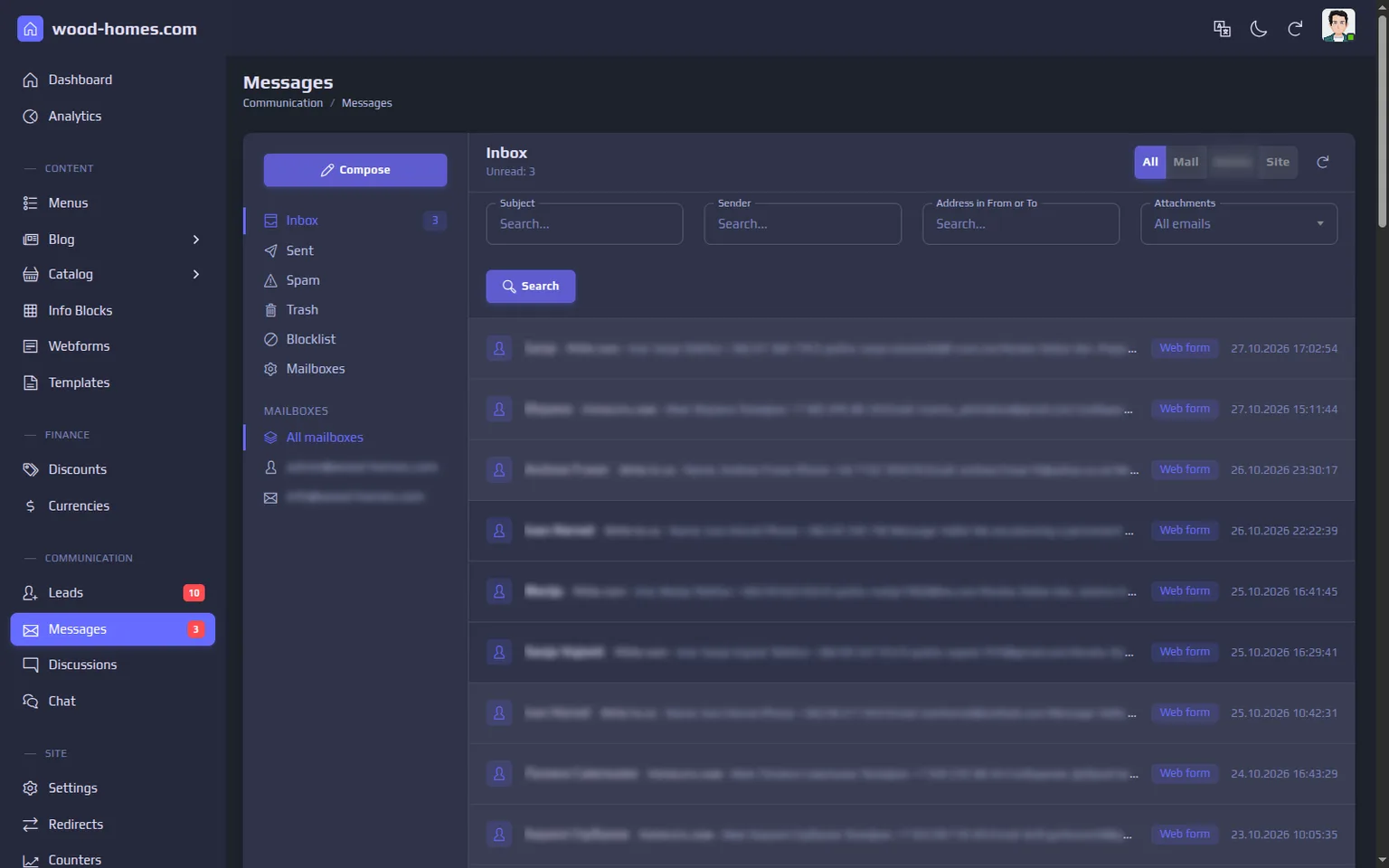
Enquiries and Company Mail in One Place
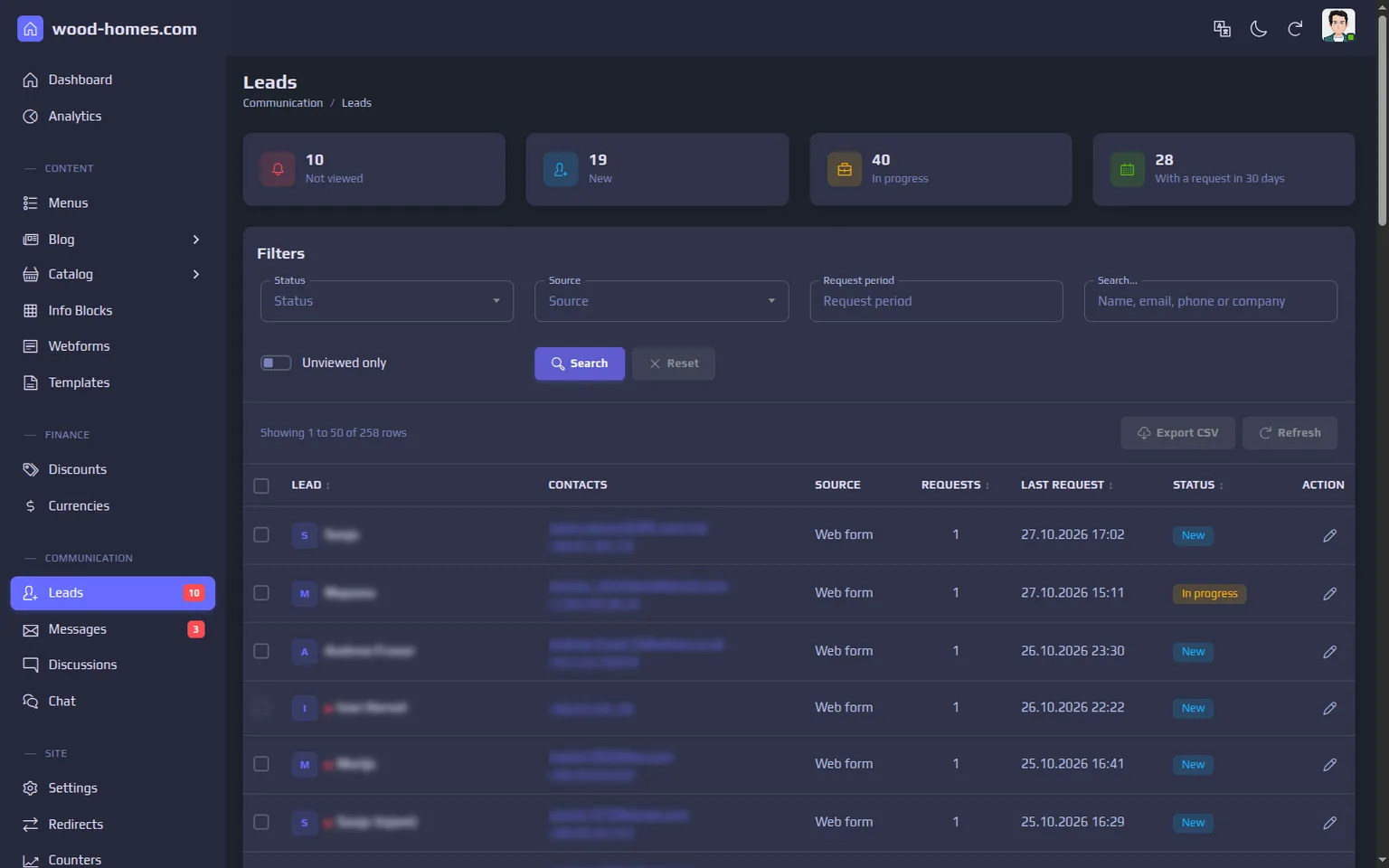
Every form submission becomes a request attached to a lead. The same person writing twice is matched by email or phone and becomes one lead with two requests rather than two rows in a spreadsheet. A lead has a status (new, in progress, closed, rejected with a reason), notes from managers, attached files and the full history of requests, and the list exports to CSV.
Company mailboxes are connected in the admin panel: an administrator adds a mailbox, and the system synchronises the inbox and sent folders over IMAP and sends over SMTP. Mailbox passwords are stored encrypted with a key ring that supports rotation, and the keys live outside the database and its backups. Managers answer from the admin panel, spam goes to its own folder, and senders can be blocked.
Own Analytics Instead of a Third-Party Counter
The site records every request itself. A page view counts as a visitor only after the browser confirms it with a beacon, so crawlers and scanners land in a separate "bots" line instead of inflating traffic. The dashboard shows sessions by device, popular pages, UTM sources and campaigns, and goal clicks: phone, WhatsApp and contact form. Visits from the company's own staff are excluded with one switch.
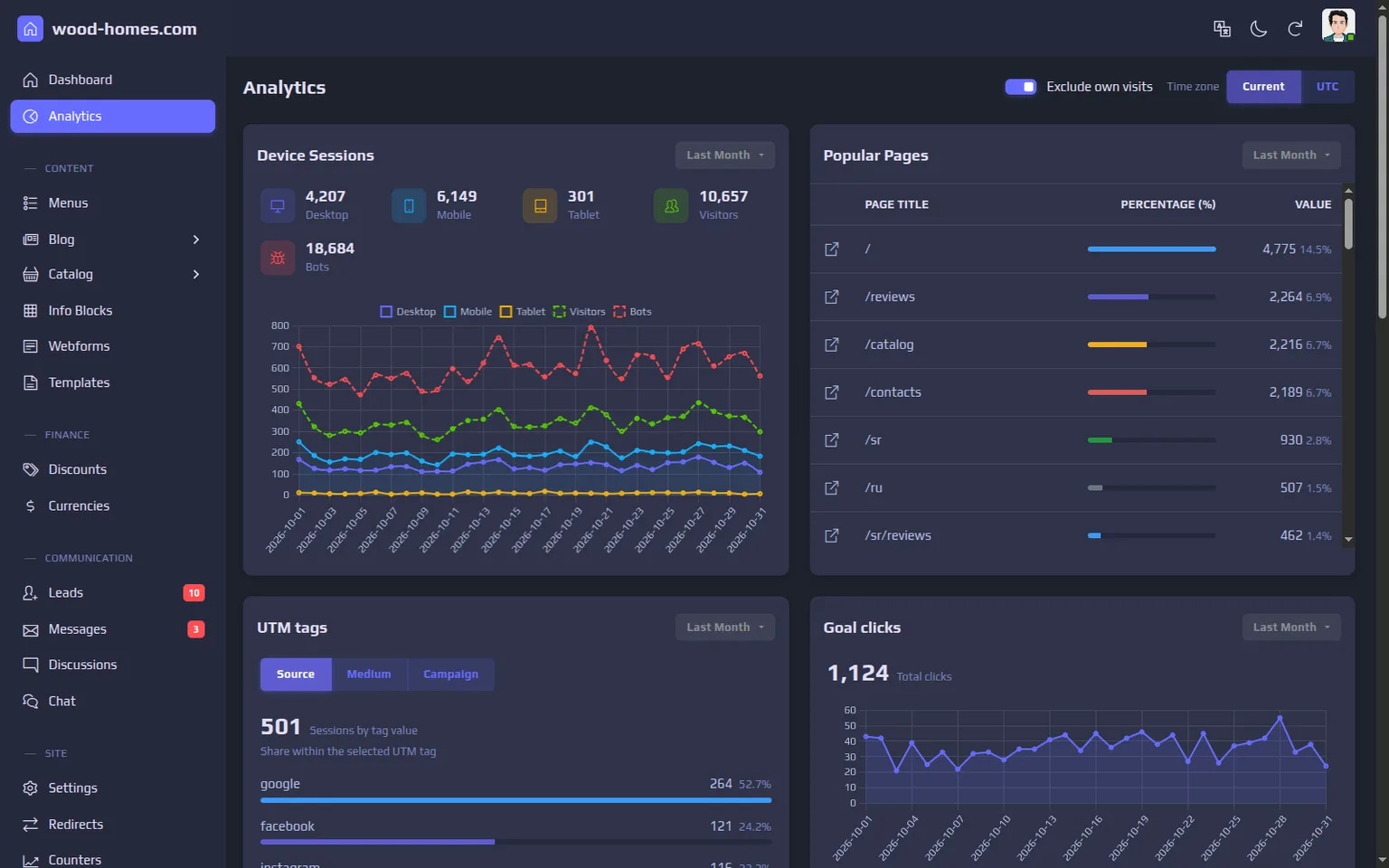
Country and city come from a local GeoLite2 database that the application downloads and refreshes on its own every 24 hours, so no visitor IP is sent to an outside service. The site is built for GDPR requirements: statistics are collected only after cookie consent, and IP addresses are erased after 180 days.
Speed and Search: How the Pages Stay Fast
Pages are rendered on the server in Go and sent as finished HTML; there is no client-side framework to load before the content appears. Styles and scripts are bundled and served with long-lived cache headers, and images are converted to WebP in several sizes by libvips in a separate process, so a large upload does not hold up a web request. Brotli compression is done by Traefik in front of the application.
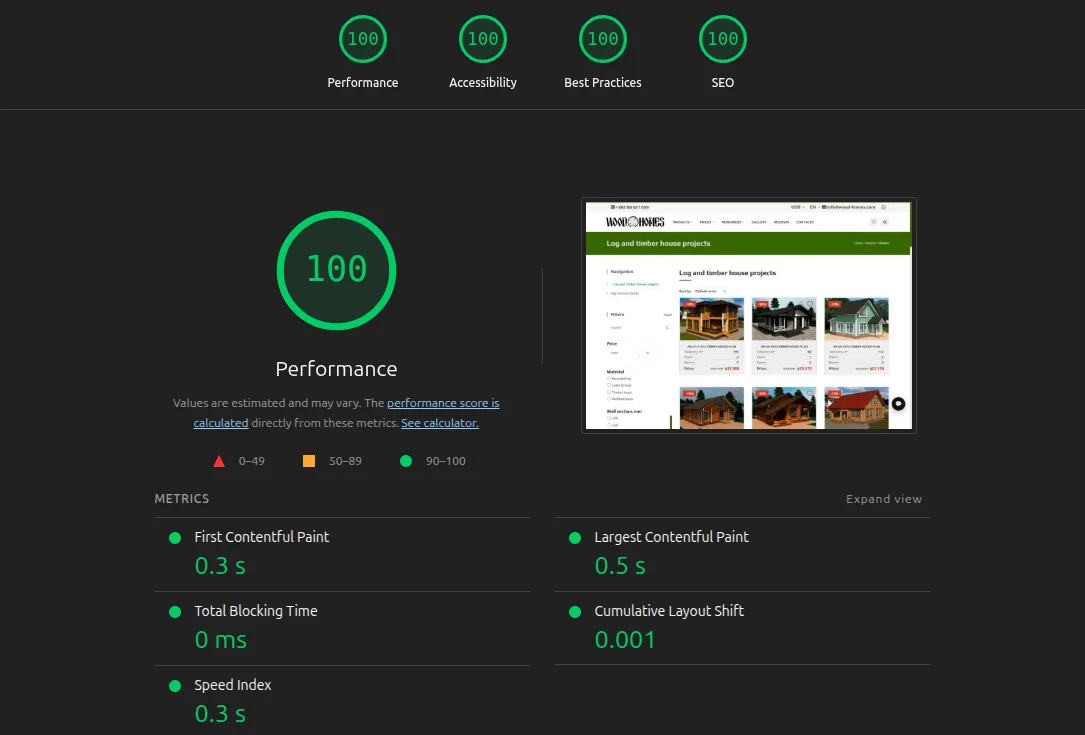
Lighthouse 12 on a production-like copy (the same build, Brotli through Traefik, HTTP/1.1 without TLS):
- desktop: 100 in all four categories on the home page, the catalog and a project page; LCP 0.5-0.7 s, total blocking time 0 ms, CLS 0.001-0.002;
- mobile emulation: Performance 96-98, Accessibility, Best Practices and SEO 100; LCP 2.3-2.7 s under Lighthouse's slow 4G throttling.
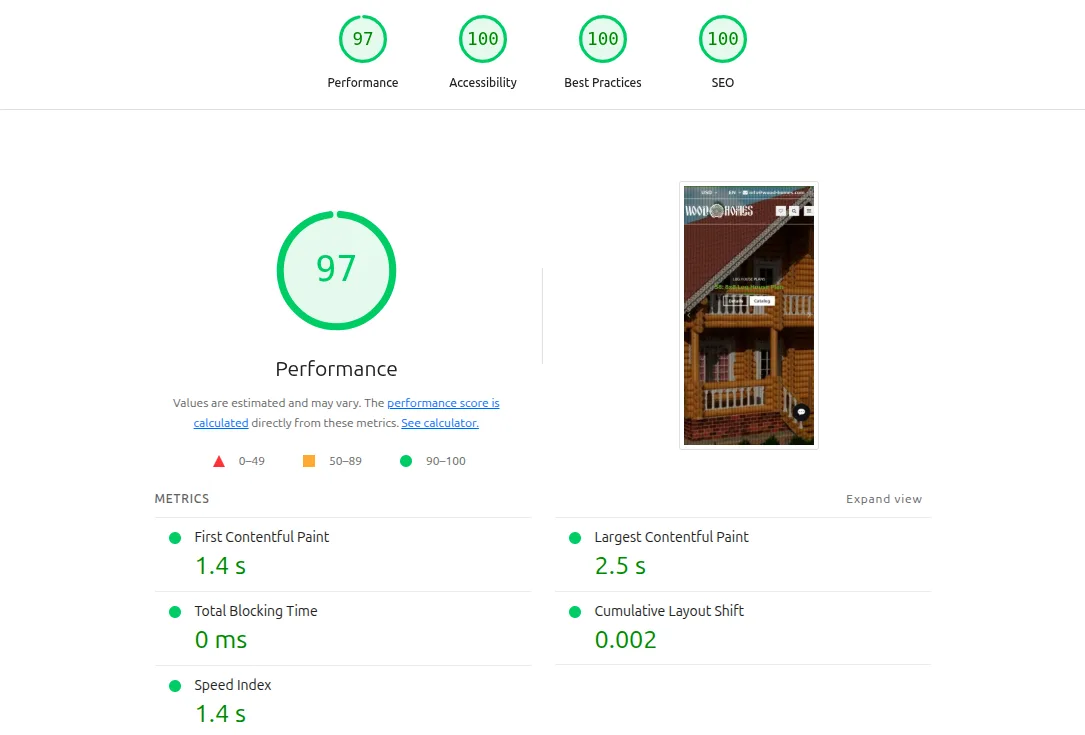
The last points to 100 came from small things the audits flagged: "Read more" buttons got hidden text that names the target page, the struck-through old price was darkened to a 4.5:1 contrast ratio, and the price table heading on project pages moved from h3 to h2 so headings go in order.
For search engines every page exists in English, Russian and Montenegrin under its own URL, linked with hreflang and a canonical address, and the sitemap lists all 1,092 of them. Project pages carry Product structured data with price and currency. Meta titles and descriptions are edited per language next to the content.
Load Test Numbers and What They Mean
We measure every release with the same set of pages. The numbers below come from that bench, not from the live site, which is far smaller. Conditions: a 24-core workstation, one application instance, PostgreSQL and Redis on the same machine, a dataset of 100,000 blog posts and 90,000 catalog variants, no full-page cache, 3 runs of 15 seconds each, medians.
| Page | 1 request at a time | 50 concurrent requests |
|---|---|---|
| Project page | 479 RPS, p99 3.5 ms | 3,100 RPS, p99 30 ms |
| Catalog section, page 1 | 291 RPS, p99 9.5 ms | 1,882 RPS, p99 48 ms |
| Blog post | 717 RPS, p99 2.6 ms | 4,750 RPS, p99 20 ms |
| Reviews of a project (AJAX) | 2,310 RPS, p99 0.8 ms | 15,776 RPS, p99 7.5 ms |
The weak spot is the catalog with many filters checked at once: with twenty filters the section page drops to 868 RPS at 50 concurrent requests. For a catalog of a few hundred projects that is far beyond real traffic, but it is the first place we would look if the catalog grew a hundredfold.
2025: Language Models in the Site and the Admin Panel
We came back to the project to add AI where it saves the sales team time.
A chat assistant that answers from the site
The assistant on the site answers questions about projects, prices, payment stages, delivery and foundations. Before every answer it searches an index built from the site's own pages and answers from what it finds; when the index has no answer, it says so and offers to pass the question to a manager instead of making one up. The index is rebuilt from the sitemap on a schedule and on demand from the admin panel. A visitor's contact details reach a manager only after they tick the consent box.
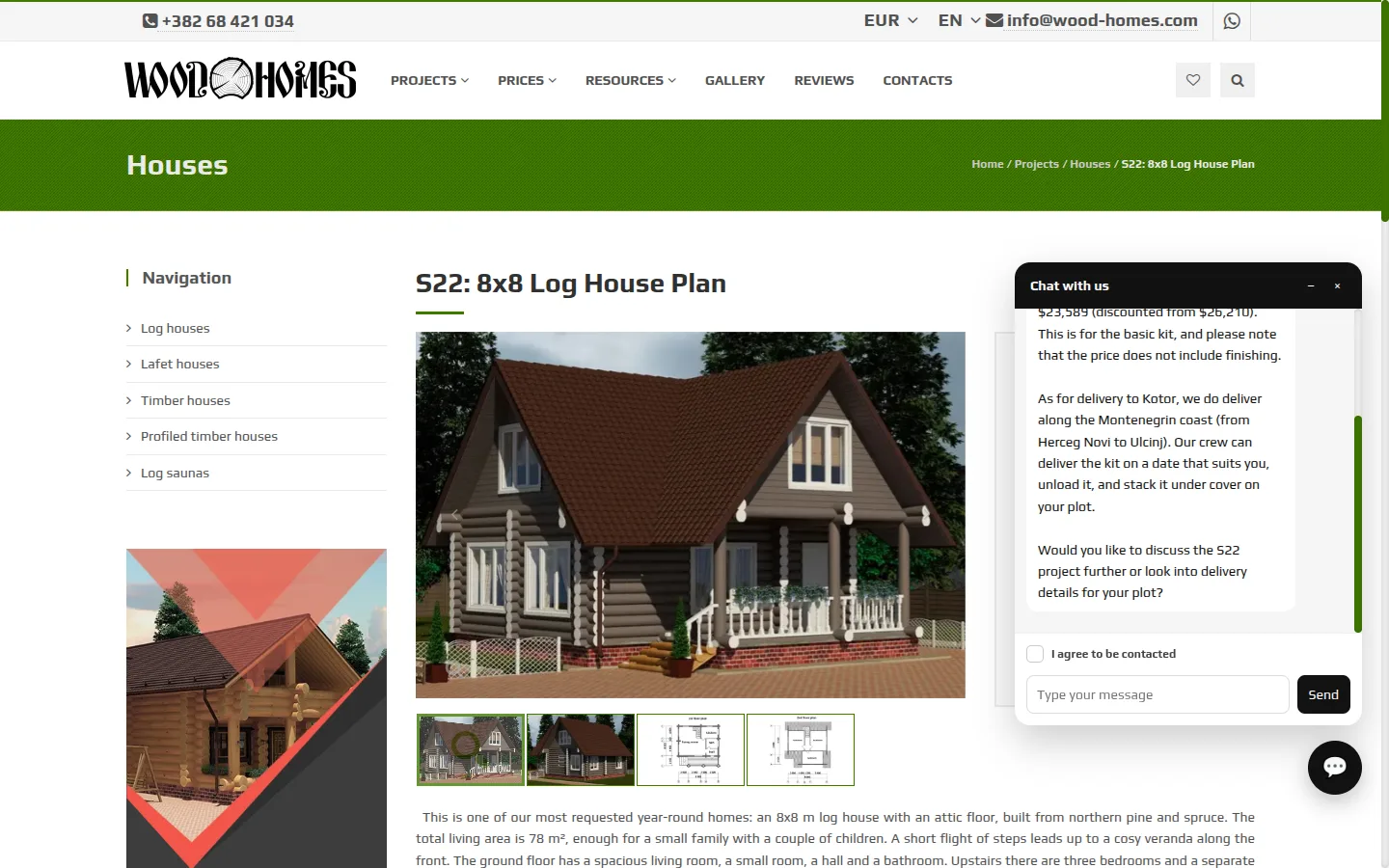
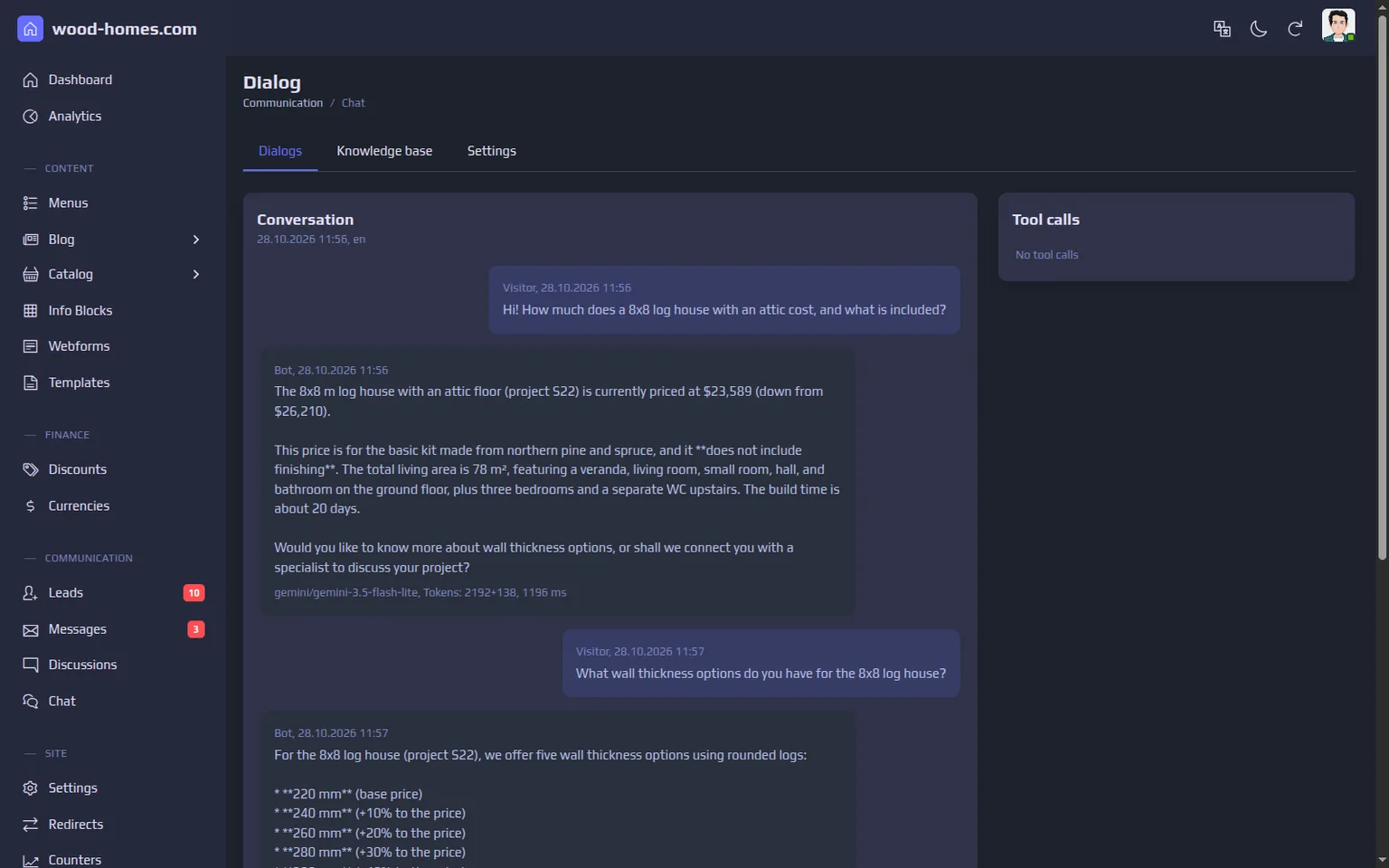
Managers read every conversation in the admin panel, with the model, token counts and response time under each answer. Rate limits per visitor and a daily token budget for the whole site keep costs predictable.
AI buttons next to the fields
In the admin panel, text fields have an AI button with three actions: write a description, translate into the other site languages, and improve the text. A manager fills in a project in one language and gets draft translations for the other two, then reads them before saving. Customer reviews are shown in the visitor's language: a translation is marked as machine-made, and the original is one click away.
Models are added from the admin panel
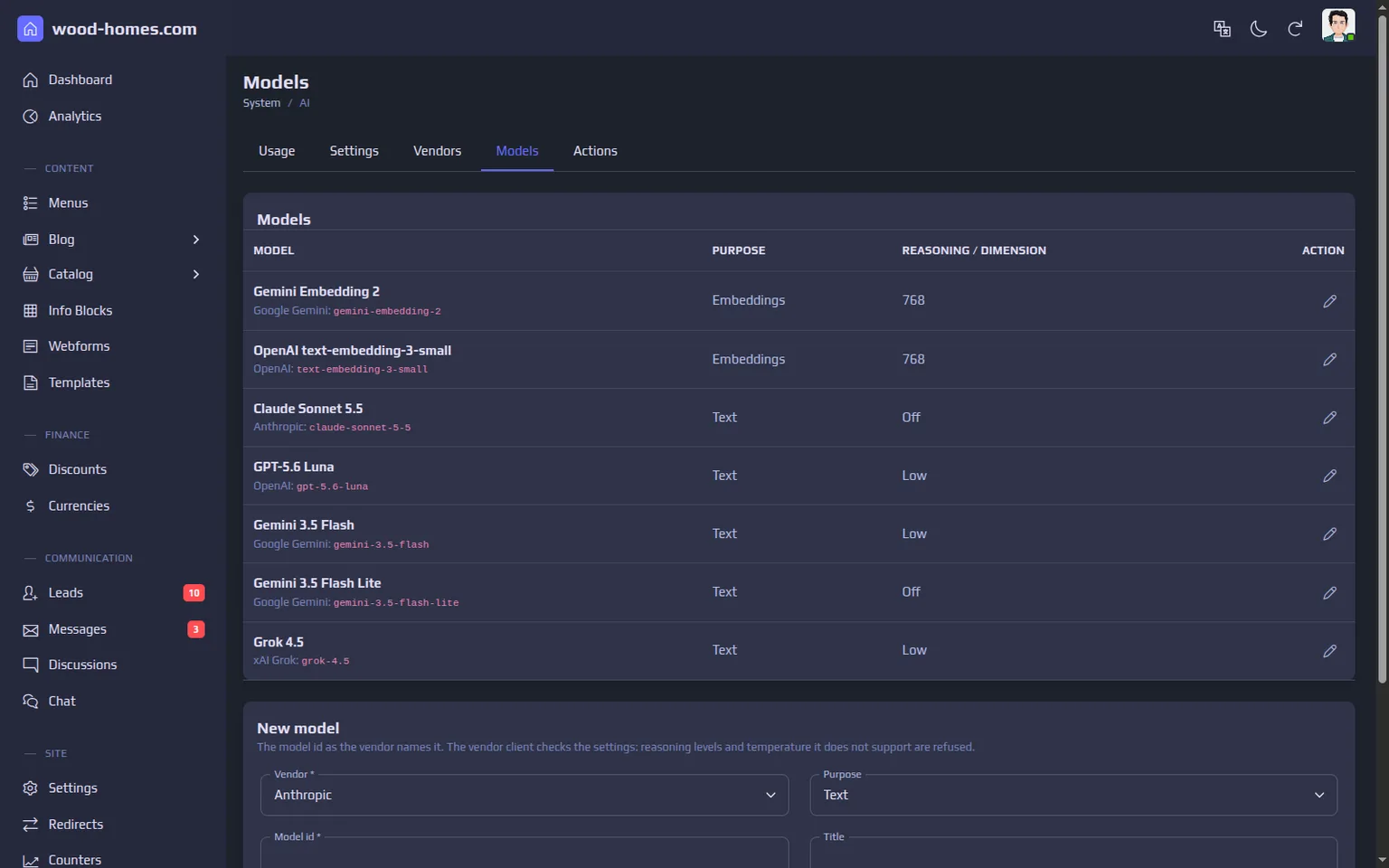
The site is not tied to one vendor. Google Gemini, OpenAI, Anthropic and xAI are connected; an administrator adds a model by its vendor id, picks it for the chat, for embeddings or for a given action, and sees usage per action. API keys come from the server environment or are entered in the admin panel and stored encrypted; the panel never shows the key itself.
Roles and Daily Work
The owner holds the superadmin role, an administrator manages users, settings and mailboxes, and sales managers work with the catalog, enquiries, mail and reviews without access to system settings. Every change in the admin panel is logged with the user, time and address.
Screenshots were taken on a demo copy of the system with sample data. Names, email addresses and phone numbers are blurred.